Helper
Route Helper
                                  Prefix Verb   URI Pattern                                                                                       Controller#Action
                                products GET    /products(.:format)                                                                               products#index
                                 product GET    /products/:id(.:format)                                                                           products#show
These route prefixes give us helpers like the following:
products_pathgenerates"/products"products_urlgenerates"http://localhost:3000/products"product_path(1)generates"/products/1"product_url(1)generates"http://localhost:3000/products/1"
_pathreturns a relative path which the browser understands is for the current domain.
_urlreturns a full URL including the protocol, host, and port.
Link Helper
Form Helper
Button Helper
button_to generates a form with a single button in it with the “Delete” text. When this button is clicked, it submits the form which makes a DELETE request to /products/:id which triggers the destroy action in our controller.
The turbo_confirm data attribute tells the Turbo JavaScript library to ask the user to confirm before submitting the form.
Example:
<h1><%= @product.name %></h1>

<%= link_to "Back", products_path %>
<%= link_to "Edit", edit_product_path(@product) %>
<%= button_to "Delete", @product, method: :delete, data: { turbo_confirm: "Are you sure?" } %>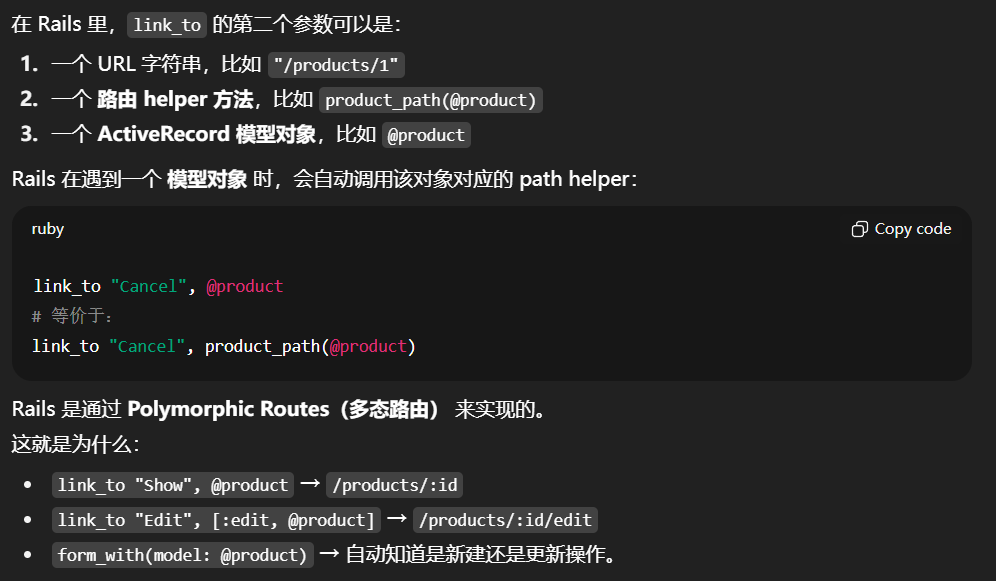
Before Action
Since edit and update require an existing database record like show we can deduplicate this into a before_action.
A before_action allows you to extract shared code between actions and run it before the action.
before_action :set_product, only: %i[ show edit update ]Reuse Partials
We can move the form into a file called app/views/products/_form.html.erb. The filename starts with an underscore to denote this is a partial.
<!-- Use local variable to reuse in page for multiple times! -->
<%= form_with model: product do |form| %>
  <div>
    <%= form.label :name %>
    <%= form.text_field :name %>
  </div>

  <div>
    <%= form.submit %>
  </div>
<% end %>
To use this partial in our app/views/products/new.html.erb view, we can replace the form with a render call:
<h1>New product</h1>

<%= render "form", product: @product %>
<%= link_to "Cancel", products_path %>
A partial may be in a different directory than the view that uses it, in which case a path such as layouts/footer would cause Rails to look for app/views/layouts/ _footer.html.erb.
Show
<%= debug @products %>The debug helper prints out variables in YAML format to help with debugging. For example, if you weren’t paying attention and typed singular @product instead of plural @products, the debug helper could help you identify that the variable was not set correctly in the controller.
<h1>Products</h1>

<div id="products">
  <% @products.each do |product| %>
    <div>
      <%= product.name %>
    </div>
  <% end %>
</div>
We’ve used a new ERB tag this time as well. <% %> evaluates the Ruby code but does not output the return value. That ignores the output of @products.each which would output an array that we don’t want in our HTML.
    ...
    redirect_to @product
    ...
When redirect_to is given an Active Record object, Rails generates a path for that record’s show action.
Create
<h1>New product</h1>

<%= form_with model: @product do |form| %>
  <div>
    <%= form.label :name %>
    <%= form.text_field :name %>
  </div>

  <div>
    <%= form.submit %>
  </div>
<% end %>
In this view, we are using the Rails form_with helper to generate an HTML form to create products. This helper uses a form builder to handle things like CSRF tokens, generating the URL based upon the model: provided, and even tailoring the submit button text to the model.
If you open this page in your browser and View Source, the HTML for the form will look like this:
<form action="/products" accept-charset="UTF-8" method="post">
  <input type="hidden" name="authenticity_token" value="UHQSKXCaFqy_aoK760zpSMUPy6TMnsLNgbPMABwN1zpW-Jx6k-2mISiF0ulZOINmfxPdg5xMyZqdxSW1UK-H-Q" autocomplete="off">

  <div>
    <label for="product_name">Name</label>
    <input type="text" name="product[name]" id="product_name">
  </div>

  <div>
    <input type="submit" name="commit" value="Create Product" data-disable-with="Create Product">
  </div>
</form>
Strong Parameters
  private
    def product_params
      params.expect(product: [ :name ])
    end
The create action handles the data submitted by the form, but it needs to be filtered for security. That’s where the product_params method comes into play.
In product_params, we tell Rails to inspect the params and ensure there is a key named :product with an array of parameters as the value. The only permitted parameters for products is :name and Rails will ignore any other parameters.
Update
In modern rails, the default update requests use PATCH instead of PUT.
<%= form_with model: @product, method: :put do |f| %>
  ...
<% end %>
def edit
@product = Product.find(params[:id])
end
def update
@product = Product.find(params[:id])
if @product.update(product_params)
redirect_to @product
else
render :edit, status: :unprocessable_entity
end
endHTTP 是无状态的
Rails 的 controller 是根据「请求」来运行的。
也就是说:
- 当你访问
/products/1/edit时,Rails 会处理一个 GET 请求,调用edit方法; - 当你在编辑页面提交表单时(
form_with model: @product),Rails 会发送一个 PATCH/PUT 请求 到/products/1,这时会调用update方法。
这两个请求在服务器看来是完全独立的 HTTP 请求,因此: edit执行完后,Rails 会渲染页面,然后这个请求结束;@product变量随控制器实例一起销毁;- 下一次(
update)请求又会新建一个ProductsController实例。
所以在第二个请求中,@product需要重新查找。
Like this:
# 第一次请求:GET /products/1/edit
controller = ProductsController.new
controller.edit   # 运行完后控制器被销毁
# 响应 HTML 表单页面

# 第二次请求:PATCH /products/1
controller = ProductsController.new
controller.update # 这是新的实例,@product 不存在